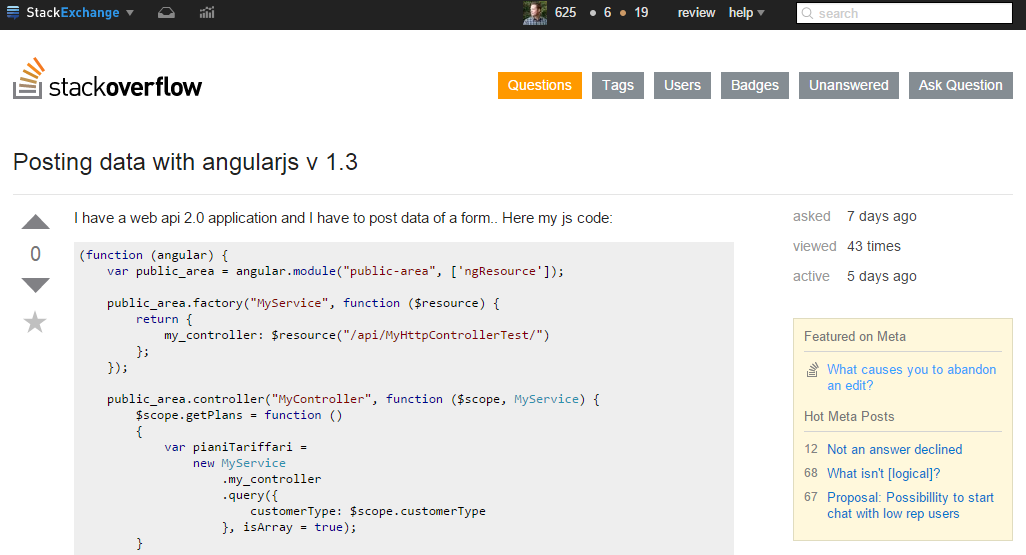
This week I tried answering a question on StackOverflow about using Angular's $resource against a .NET WebAPI v2 backend:
To me it seemed like the poster of this question was not using WebAPI in a RESTful way which caused the trouble with WebAPI. I've seen this before where colleagues are using one WebAPI controller to server different types of objects and then need to do custom routing and what not in order to make it work.
My recommendation would be to not do that. Have 1 controller for 1 type of object and map the HTTP verbs on it.
Having said that, I wanted play around with $resource and did that in a proof-of-concept application that I put on GitHub: https://github.com/jochenvanwylick/SODemoAngularResourceWebAPI
I'm using LightInject for dependency injection ( since that was on my list to try ) and OWIN selfhost to host the WebAPI v2 backend.
Here's the Angular application that uses the ngResource module:
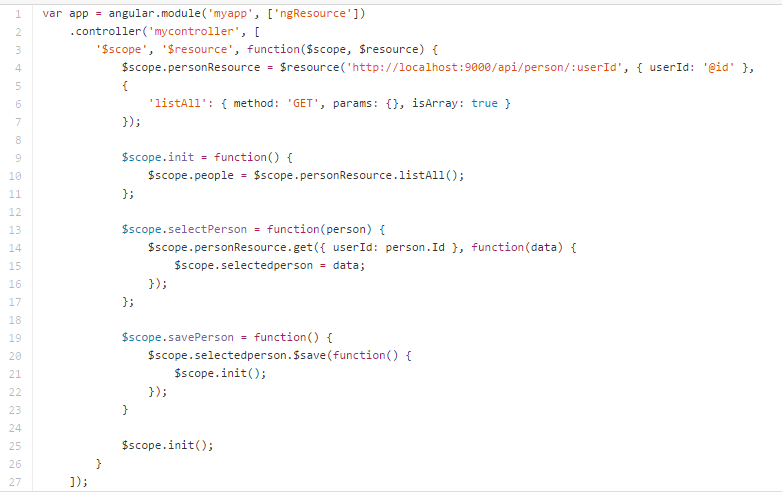
I added the listAll method in order to talk to the Get() method in the backend. You need to specify that the result is an array as opposed to an object. Once you get an item from resource, you can just save it with $save().
Here's the C# controller that handles all the methods that are being called by AngularJS.
So yeah, it's nice - $resource. I've used an injecteable service thusfar, but will consider using $resource in the future.
Showing posts with label WebApi2. Show all posts
Sunday, February 1, 2015
Saturday, January 4, 2014
Aspect oriented model validations for WebAPI
We're building a brand new web app with the 'latest and greatest' stuff: MVC5, WebAPI 2 and AngularJS. I was looking for a nice way to do model validation in WebApi and I found this article:
http://www.asp.net/web-api/overview/formats-and-model-binding/model-validation-in-aspnet-web-api
Check it out - it's very elegant. So Angular's $http.post() will do some task and if things work out, you get the 400 statuscode and it'll call the success handler. If not, it'll trigger the error callback and I'm displaying the validation messages. Very clean, very re-usable and very few lines of code.
Works fine with a combination of attribute validations, like [Required] and [Range] with IValidateableObject.
http://www.asp.net/web-api/overview/formats-and-model-binding/model-validation-in-aspnet-web-api
Check it out - it's very elegant. So Angular's $http.post() will do some task and if things work out, you get the 400 statuscode and it'll call the success handler. If not, it'll trigger the error callback and I'm displaying the validation messages. Very clean, very re-usable and very few lines of code.
Works fine with a combination of attribute validations, like [Required] and [Range] with IValidateableObject.
Subscribe to:
Posts (Atom)


